
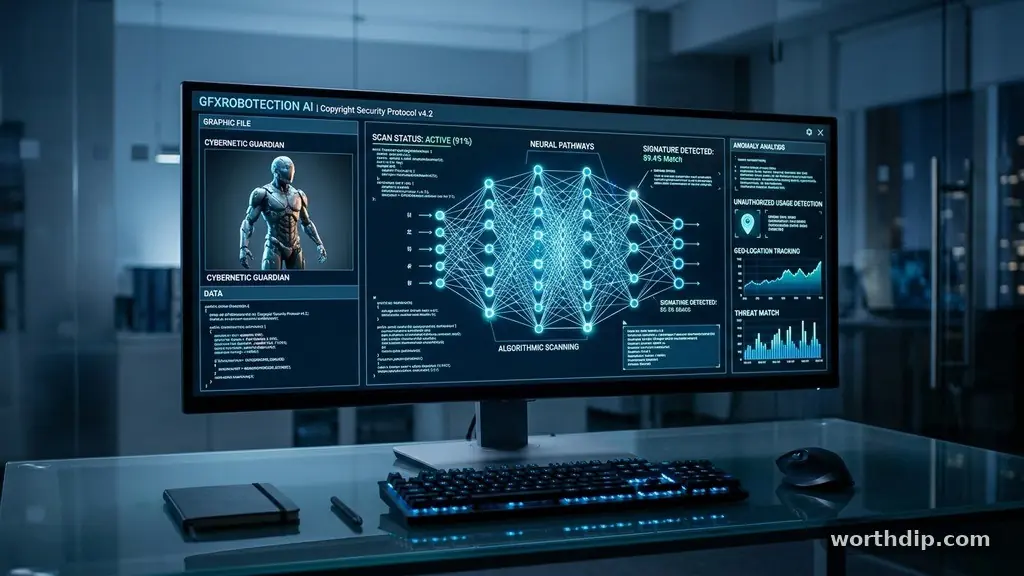
Using GFXRobotection AI Software by GFXMaker allows digital creators to better manage the security of their creative assets. Many designers struggle with unauthorized use of their work, and this tool focuses on providing a layer of protection through automation.
If you have ever wondered how to shield your portfolio from scrapers or bots, this specific utility offers a technical approach to addressing those concerns. By understanding how the GFXRobotection AI software by GFXMaker functions, you can decide if it fits your current workflow and security needs for your digital artwork.
What Is GFXRobotection AI Software by GFXMaker?
At its core, GFXRobotection AI software by GFXMaker is a specialized utility designed to monitor and shield digital creative assets. It functions by scanning for unauthorized instances of your graphics across the web, alerting you when your files appear where they shouldn’t. Unlike standard design tools, this software prioritizes security and ownership tracking rather than the generation of new art.
The system uses automated algorithms to identify patterns in your images. When it detects a match on a third-party site or server, it flags the location. This gives you the ability to review the usage and take action if the content was used without your permission or proper licensing.
Many professional artists use this because manual monitoring is simply not feasible for a large portfolio. By automating the process, the software frees up your time to focus on the creative side of your business. It serves as a digital sentry for your visual library.
How the Detection Mechanism Works
The software operates by creating unique digital fingerprints for your uploaded files. When you add your artwork to the system, it analyzes the pixel data and structural composition of the file. This creates a reference point that the AI uses to crawl the internet.
Once the fingerprint is established, the tool runs scans against a massive database of web content. It looks for visual similarities that meet a specific threshold of likeness. This ensures that you aren’t just finding exact copies, but also variations that might be infringing on your copyright.
If a match is found, the software logs the URL, the date of discovery, and the hosting environment. This data is then presented to you in a dashboard format. From there, you can determine if the usage is fair, licensed, or a violation that requires a takedown request.
Key Features for Digital Artists
The primary appeal of this tool lies in its targeted approach to asset security. It doesn’t bloat your system with unnecessary design plugins; instead, it provides a clean interface for monitoring. The following features are standard in the current version of the platform:
- Automated Crawling: Constant background scanning of web pages to identify potential unauthorized use.
- Dashboard Analytics: A centralized view of all detected matches, categorized by site authority and frequency.
- Evidence Generation: Automatic timestamping and screenshot capture to help you build a case for copyright protection.
- Integration Options: Compatibility with common cloud storage systems to keep your asset library synced.
These features are designed to be intuitive, even for those who aren’t technical experts. You don’t need to know how to code to understand the reports generated by the software. The focus is on providing actionable intelligence so you can protect your livelihood.
Comparing Security Approaches
When choosing how to protect your work, you have several options ranging from manual watermarking to advanced AI monitoring. The table below outlines how these methods typically stack up in terms of effort and effectiveness for a modern design studio.
| Protection Method | Effort Required | Effectiveness | Cost |
|---|---|---|---|
| Manual Watermarking | High | Low | Low |
| GFXRobotection AI | Low | High | Moderate |
| Legal Monitoring | Very High | Very High | High |
| Public Domain Licensing | Low | N/A | None |
As shown, while manual watermarking is cheap, it requires you to touch every single file. Using an automated solution provides a balance of high effectiveness and low manual labor. This is why many studios are moving toward AI-based verification.
Is the Software Legitimate?
A common question among professionals is whether this type of tool is a legitimate investment. GFXRobotection AI software by GFXMaker maintains a transparent process regarding how it handles your data and what it does with the information it finds. It does not claim to be a legal firm or a replacement for copyright registration.
Instead, the software acts as an informational tool. It provides the data you need to make informed decisions about your intellectual property. Because it focuses on detection rather than enforcement, it aligns well with standard digital rights management practices.
You should always read the terms of service before uploading proprietary files to any third-party platform. Ensure that the company’s privacy policy explicitly states that you retain full ownership of the assets you upload. Transparency in these agreements is a major indicator of a reputable software provider.
Integrating Protection into Your Workflow
Implementing a security tool should not disrupt your creative process. The best way to use this software is to set it as a final step in your export workflow. Once a piece of art is finalized and ready for the public, you can add it to the monitoring system.
Setting Up Your Asset Library
Start by organizing your assets into clear folders before importing them into the software. This makes it easier to track which projects are being monitored and which are currently in development. Consistent naming conventions also help the AI differentiate between different versions of the same file.
Reviewing Alerts Regularly
Do not let alerts pile up in your dashboard. Set aside fifteen minutes each week to review new findings. This consistency prevents you from becoming overwhelmed and ensures that you catch any major infringements early.
If you need more information on how to handle copyright issues, you can visit the U.S. Copyright Office website for official guidance on rights and registration. Using the data from your software alongside official legal resources provides a comprehensive approach to asset safety.
Limitations and Realistic Expectations
No software can guarantee 100% protection against every instance of theft on the internet. While the AI is advanced, it can occasionally miss variations or report false positives. You should treat the software as a supplement to your own vigilance rather than a complete replacement.
The effectiveness of the detection often depends on the size and quality of the files you upload. High-resolution images are generally easier for the AI to fingerprint accurately. If you upload tiny, compressed thumbnails, the detection rate might decrease because there is less data for the algorithm to analyze.
Furthermore, the tool is primarily designed for static images and graphics. If your work involves complex video or interactive web elements, you might need to check if the specific version of the software supports those file formats. Always test a small batch of files first to see how the system performs with your specific style of art.
Common Technical Hurdles
Users sometimes encounter issues with upload speeds or file compatibility. Because the software processes high-resolution files to create fingerprints, a slow internet connection can cause the initial upload phase to take time. It is best to perform these uploads during off-peak hours if you have a large library.
Another hurdle involves managing the notifications. If your work is very popular, the software might report dozens of matches, many of which could be benign. Learning to filter your results by site authority is a skill that develops over time.
You might find that some sites block automated crawlers, which can lead to gaps in your data. This is a common issue with many web-crawling tools and is rarely a fault of the software itself. Being aware of these limitations helps you manage your expectations and use the tool more effectively.
Frequently Asked Questions
Does this software prevent people from saving my images?
No, the software does not block users from right-clicking or saving your images. It is a detection tool that notifies you after your work has been used, rather than a preventative barrier that stops the act of copying.
Can I use GFXRobotection for free?
Most professional-grade AI security tools operate on a tiered subscription model. While there may be limited trials or basic versions, advanced features like continuous monitoring and high-volume asset tracking typically require a paid plan.
What happens if I find an infringement?
When you find an unauthorized use, the software provides the evidence you need to contact the site owner. You can then issue a takedown request or ask for proper credit and licensing, depending on your preferred outcome.
Is this software compatible with mobile devices?
While the core processing usually happens on desktop or cloud-based servers, many providers offer mobile apps to view your dashboard. This allows you to monitor your assets while on the go, even if you can’t upload new files from your phone.
How secure is the data I upload to the system?
Reputable software developers use encryption to protect your uploaded assets. It is vital to check the security documentation of the provider to ensure your original high-resolution files are handled with industry-standard protocols.
Moving Forward with Your Creative Security
Protecting your digital footprint is an essential part of being a professional designer. By utilizing GFXRobotection AI software by GFXMaker, you take a proactive stance in monitoring your creative output. This tool provides the necessary visibility to ensure your hard work receives the recognition and compensation it deserves.
Start by auditing your most valuable assets and setting up a basic monitoring schedule. As you become more comfortable with the dashboard and the reporting features, you can expand your usage to cover your entire library.
Remember that technology is a tool to support your career, not a substitute for your own professional judgment. Stay vigilant, keep your records organized, and continue creating the work that defines your unique style.